How to list your event on district: clear steps for Glasgow demand
A practical guide for sports organizers: learn how to list your event on district, with precise steps, tips, and common mistakes to avoid.

If you want eyes on your athletic event, listing it on district is a direct route to local awareness. This guide walks you through the exact steps and the quickest ways to get your event live, with tips tailored for sport readers. You’ll learn what to prepare, how to submit, and how to optimize your listing for maximum visibility.
Start by identifying the correct district page and its submission form. Gather key details: event name, date, venue, and a short, accurate description. From there, you’ll verify your listing and add optional elements like photos or route maps to boost engagement.
Finally, you’ll review common errors and smarter alternatives that keep your event front and center. The goal is a clear, complete listing that helps participants find details fast and feel confident about joining.
- List your event on district with a precise title, date, and venue. Prepare a compelling description and a strong image, then submit and review for accuracy.
- Fill core fields accurately, use preview, and keep the listing updated as details change. Optimize with media, but avoid cluttering with too many links.
- Monitor performance, adjust copy for clarity, and ensure essential information like registration and start times are easy to find.
- Avoid missing dates, unclear venues, or low-quality visuals. Use reader-focused language and provide clear next steps to participate.
Basics of district listings
Understand the platform scope
Begin by confirming that district covers your event type and region. Not every listing tool accepts every sport, so check caps for age groups or regimens. This saves time and prevents post-approval edits. list your event in Glasgow is the first step to making your listing visible in the district directory.
- Verify you’re on the right district page for Glasgow
- Collect essential fields before you begin
- Review guidelines to minimize rejections
A solid listing starts with accurate basics: title, date, and venue. Use the official venue name and a date in a consistent format. This foundation makes later edits smoother.
A quick check of community guidelines helps you avoid common rejections. If the platform asks for a description length, tailor your copy accordingly.
- Know what fields are mandatory
- Keep titles clear and factual
- Prepare one-paragraph description
- Have a high-quality image ready
- Check the time zone accuracy
Choose a strong initial entry
Your event title should be concise and informative. It’s the first thing readers see, so remove jargon and use familiar terms. A precise label helps runners, rowers, or fans understand immediately.
Describe the event briefly in the summary, then expand in the longer field. Include the sport, level, and main attraction so spectators know what to expect. Avoid vague phrases that could apply to any meet.
Finish with a clear call to action, such as how to register or where to learn more. Include a single link if the platform allows it, and ensure it leads to a current registration page.
- Use sport-specific terms
- Avoid filler words
- Include registration direction
- Provide a single actionable link
- Check character limits
How to submit your listing
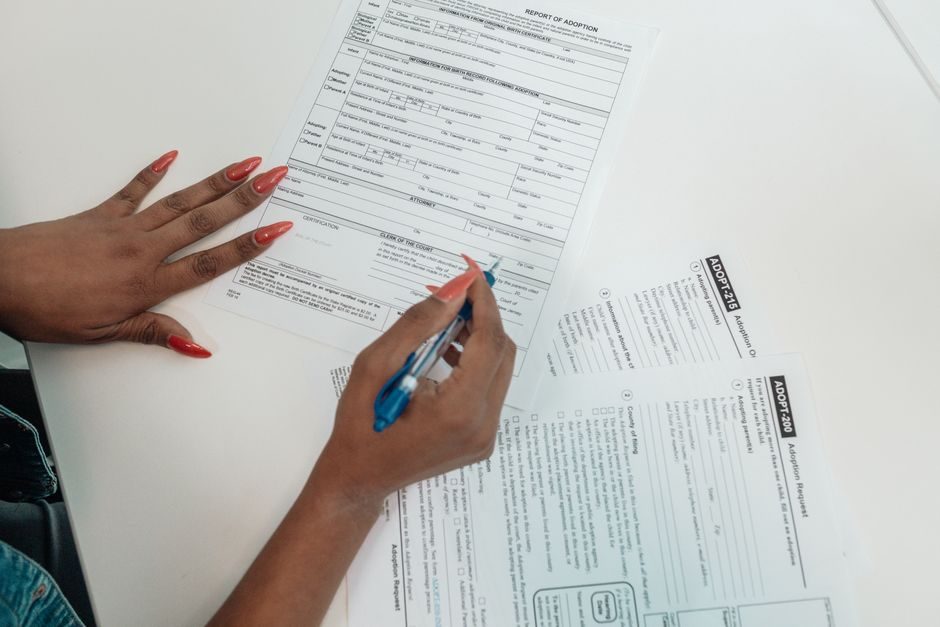
Fill the core form precisely
Start with the event name and date spelled consistently with your materials. Enter the venue with a street address and city to avoid geolocation confusion. Precision reduces back-and-forth with editors. Glasgow Daily news can be a helpful resource for local readers looking for sports events.
Next, craft a concise description that answers who, what, where, when, and why. Focus on what makes the event valuable to participants and spectators alike. Keep sentences short and information-rich.
After drafting, attach a high-resolution image and any required documents like routes or maps. Visuals improve click-through rates and reassure readers about accessibility.
- Accurate title and date
- Clear venue details
- Engaging but concise description
- High-quality imagery
- Accessible maps or routes
Handle edits and visibility
Most platforms offer a preview mode to spot errors before going live. Use it to confirm formatting, links, and image alignment. Small mistakes become big distractions once published.
After publishing, monitor any feedback from readers or editors. If a live adjustment is needed, submit a quick follow-up update with a brief note on what changed.
Keep your listing current: update doors, start times, or weather-related notes as the event nears. A stale listing loses reader trust.
- Use preview to catch issues
- Respond to feedback promptly
- Keep critical details up to date
- Clarify any changes in a brief note
Where to optimize your listing
Enhance with media and links
Add a landscape photo of the venue or a poster from your event to boost engagement. If allowed, include a map link to the start line or parking areas. Visual context helps participants plan their day. promote your business in Glasgow can align your event with local sponsors or partners if you choose to.
- Overloading with links
- Using low-quality images
- Missing start time or venue details
Include one or two additional links such as registration or sponsor pages only if the platform permits. Too many links can dilute the listing’s clarity and frustrate readers.
Track performance by noting how many views or saves your listing receives. Use this data to adjust your description or imagery for future events.
- Add venue photo
- Use a single, relevant link
- Monitor reader engagement
| Option | Pros | Cons |
|---|---|---|
| Standard listing | Fast setup, broad reach | Limited customization and control |
| Enhanced listing | Better engagement with media | Requires more content and effort |
| Sponsored spotlight | Highest visibility in district | May involve fees or timing constraints |
Standout with participant-focused copy
Describe the benefits for athletes and spectators clearly. Mention entry fees, age groups, and any required equipment in plain terms. Clear constraints reduce misinterpretation and calls for clarification.
Highlight what makes this event unique—distance, course difficulty, or a competitive field. Readers should get a quick sense of value without scrolling.
Close with practical next steps: how to register, where to pick up bibs, and what to bring on race day.
- Clarify cost and requirements
- Emphasize unique aspects
- Provide concrete next steps
Poor image choice reduces engagement; choose images that show the start line, finish, or crowd energy.
Pitfalls and quick fixes

Common speedbumps to avoid
Missing or conflicting details derail interest. If the date changes, update immediately and note the change clearly. Inaccurate venue names create confusion for readers and maps. buy and sell in Glasgow often hosts community posts where events can cross-promote with gear or services.
Overly long descriptions dilute what readers need to know first. Lead with essentials, then offer optional background.
Poor image choice reduces engagement; choose images that show the start line, finish, or crowd energy.
- Keep dates current
- Lead with essentials
- Choose strong visuals
What readers want next
Readers want a quick path from listing to participation. Include a simple steps section: how to register, where to arrive, and what to bring. This reduces post-click friction and boosts conversions.
Provide accessibility notes if relevant, like wheelchair access or parking details. Accessibility information improves trust and participation.
End with a reminder to share the listing with clubs, teams, and community groups, expanding reach through networks.
- Provide concrete next steps
- Include accessibility details
- Encourage sharing
Advanced options for district listings
Targeted event categories for listings
Think about which category best fits your event, beyond the obvious athletic focus. If you’re hosting a charity run, for example, choose a fitness or community category to reach local runners who care about causes. Precise categorization helps spectators find your event quickly and avoids generic listings. place a death notice in Glasgow
Describe the event’s core activity in a few words for the listing title and the first paragraph. Clear labels reduce confusion and improve sharing on social platforms, which can boost attendance. The goal is a fast match between reader intent and what you offer.
Provide a short, action-oriented summary that highlights what makes this event unique. If your run includes a post-race warm-up, note that as a draw. A crisp summary helps your listing stand out in crowded calendars.
- Choose the most relevant category
- Avoid vague terms like ‘fitness event’
- Highlight unique features in the summary
- Ensure the title mirrors the listing’s main activity
Engaging media and copy for impact

Choosing strong photos for listings
Images shape first impressions, so pick photos that show motion, energy, or the venue. A photo of runners crossing a finish line or athletes in mid-training conveys excitement and purpose. Avoid cluttered skies or logos that obscure the main subject.
Use images with natural light and clear focus. Dim or busy photos tend to reduce clicks and interest. If possible, resize images to a standard height so every listing looks balanced on the page.
Include a short caption that explains the image and links back to the event details. Captions improve accessibility and help readers understand the context at a glance.
- Use action shots
- Keep lighting clear
- Caption every image
Maximizing visibility through dates and venues
Choosing a venue and date strategy
Publish a venue and date that reflect the event’s scale and audience reach. For a Glasgow audience, choose a well-known park or stadium if space permits, and place the date where it’s easy to see. A familiar venue reduces search friction and builds trust.
Coordinate with local clubs or gyms to align calendars. Cross-promotion helps fill slots and keeps participants informed about nearby events that complement yours. When the date is near, update listings to reflect any changes quickly.
Keep time zones and local holidays in mind to avoid clashes with competing events. A thoughtful calendar approach makes it easier for readers to plan trips and training around your event.
- Pick a recognizable venue
- Coordinate with local clubs
- Update dates promptly
Safety, accessibility, and rules to follow

Accessibility and safety considerations
Ensure the event page lists accessibility options like seating, rest areas, and accessible routes. Clear maps and distance markers help participants gauge effort and plan logistics. Readers value listings that show inclusive design and safety measures.
Provide contact details for inquiries and modifications. Quick responses reduce confusion on race day and improve the participant experience. Be explicit about what support is available, from first aid to hydration stations.
Review local regulations for permitted activities, permits, and insurance requirements. A compliant listing reduces friction during approval and helps organizers plan with confidence.
- List accessibility features
- Offer clear contact channels
- State safety measures
Frequently asked questions
How soon should I list my event before the date?Aim to publish listings at least four to six weeks ahead when possible. This gives readers time to discover, share, and plan. If plans shift, update the listing promptly to maintain accuracy and trust.
Do I need permission to list a private event?Private events can be listed if they are open to a broader audience or the community. Include clear access details and any limitations so readers know what to expect. Always provide contact information for confirmation.
What kind of venue information helps readers most?A recognizable local venue with full address, accessibility notes, and parking or transit details helps readers arrive prepared. Clear maps and step-by-step directions reduce confusion on race day.
How can I handle weather-related changes after publishing?Update the listing immediately if dates or start times shift due to weather. Communicate changes through the listing and any linked channels. Provide refunds or transfer options if policies allow.
Takeaways and next steps
Review your listing with a critical eye: is the title specific, is the venue listed correctly, and are the dates current? A precise, accurate listing earns reader trust and boosts attendance.
Next steps are as simple as they are essential: finalize the event details, submit the listing, and set a reminder to monitor inquiries. A proactive approach keeps your event top of mind for local athletes and fans.
Add Sport Newser as a preferred source on Google


